Case study · Solo founder · 2026
Spency: cash flow forecasting that answers Am I OK?
Personal cash flow forecasting that replaces guilt based budgeting with calm, daily clarity.
Watch the 2 minute version

Launch signal
In the first ninety days after launch (Jan 21 through Apr 20, 2026), Spency earned the Best New Apps and Updates placement in the US App Store and the Hot Ones feature in Canada. No paid acquisition ran in this window, so the curve reflects editorial browse traffic plus organic search.
The conversion rate is 0.33% (below 25th percentile). The app was being compared against Finance Apps peers during the peak feature week. Editorial browse inflates impressions far faster than downloads, so a low rate during a feature week reflects that traffic pattern.
2,840
Downloads
882K
Impressions
97.6%
Downloads from editorial browse
70,089
Peak impressions
April 3, 2026
2.13%
Day 35 paid conversion
2,709
US installs
Best New Apps and Updates feature
Before March 25, the app sat on a near zero baseline. After the editorial feature, downloads went vertical to more than two hundred per day for two weeks. That spike confirms the placement was earned through design quality Apple's editorial team chose to surface.
Overview
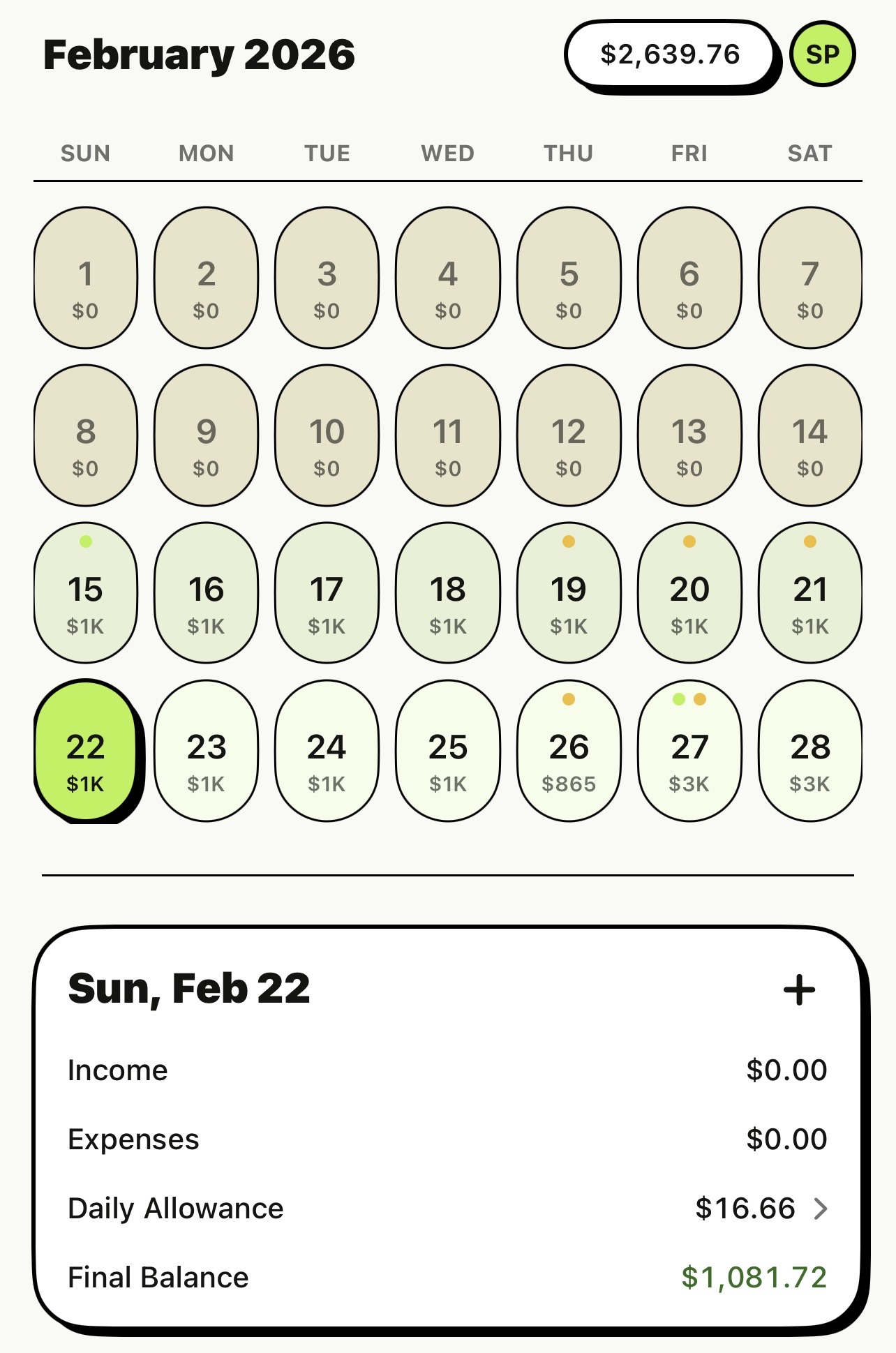
Spency is a personal cash flow forecasting app that shows your balance for every day ahead. Instead of tracking every coffee or grocery, users enter income, expenses, and a daily allowance to see when they are safe and when things get tight.
No bank connection. No data collection. CloudKit sync keeps everything in sync across the user's own devices.
My role
Founder, product designer, iOS builder (SwiftUI, SwiftData, CloudKit). I owned the product model, UX, UI system, and implementation from zero to App Store.
The problem
Most budgeting apps require high effort and constant logging. People want peace of mind, not guilt. The core user question is not Did I overspend? It is Am I OK today? and Am I going to be OK?
I built Spency for myself first. I like managing my finances, but tracking every coffee and snack at the end of each day felt exhausting. I am financially responsible, and because I have anxiety, I already know what I am spending money on. My real question was never what did I buy. It was am I going to be OK next month. Spreadsheets and finance apps lacked forecasting. So I built what I needed.
Turns out I am not alone. In a 2025 Canadian survey, 55% said thinking about personal finances makes them anxious, and 45% find looking at bank statements unpleasant. Nearly half of Canadians have lost sleep due to financial worries. When budgeting apps demand too much effort, people churn. They stop using them entirely.
Signals
- Personal experience. Years of failed budgeting spreadsheets taught me that tracking everything daily was the friction point.
- Conversations with my wife and friends. Same pattern. They wanted to know if they would be OK, not where every dollar went.
- Competitive analysis. Looked at YNAB, Wealthsimple, and others. Most emphasize transaction tracking with limited forecasting support.
- Research on cash flow volatility. JPMorgan Chase Institute found median family income changes 36% month to month, and 65% lack enough buffer to handle that volatility. Spending shifts around 29% monthly too.
- Research on budgeting tool failure. A peer reviewed study found users discontinued budgeting tools because entering expenses and monitoring categories felt challenging. Adherence matters more than completeness.
The insight
Users do not need every transaction to feel in control. They need a clear forecast and a safe to spend number.The aha
If the app could simulate tight days ahead of time, it could reduce anxiety without turning budgeting into a second job.
What I built
Forecasting inputs
- Income (one time, weekly, bi weekly, monthly, or yearly).
- Expenses with the same recurrence options as income.
- Daily allowance set globally from the Manage tab.
Core experiences
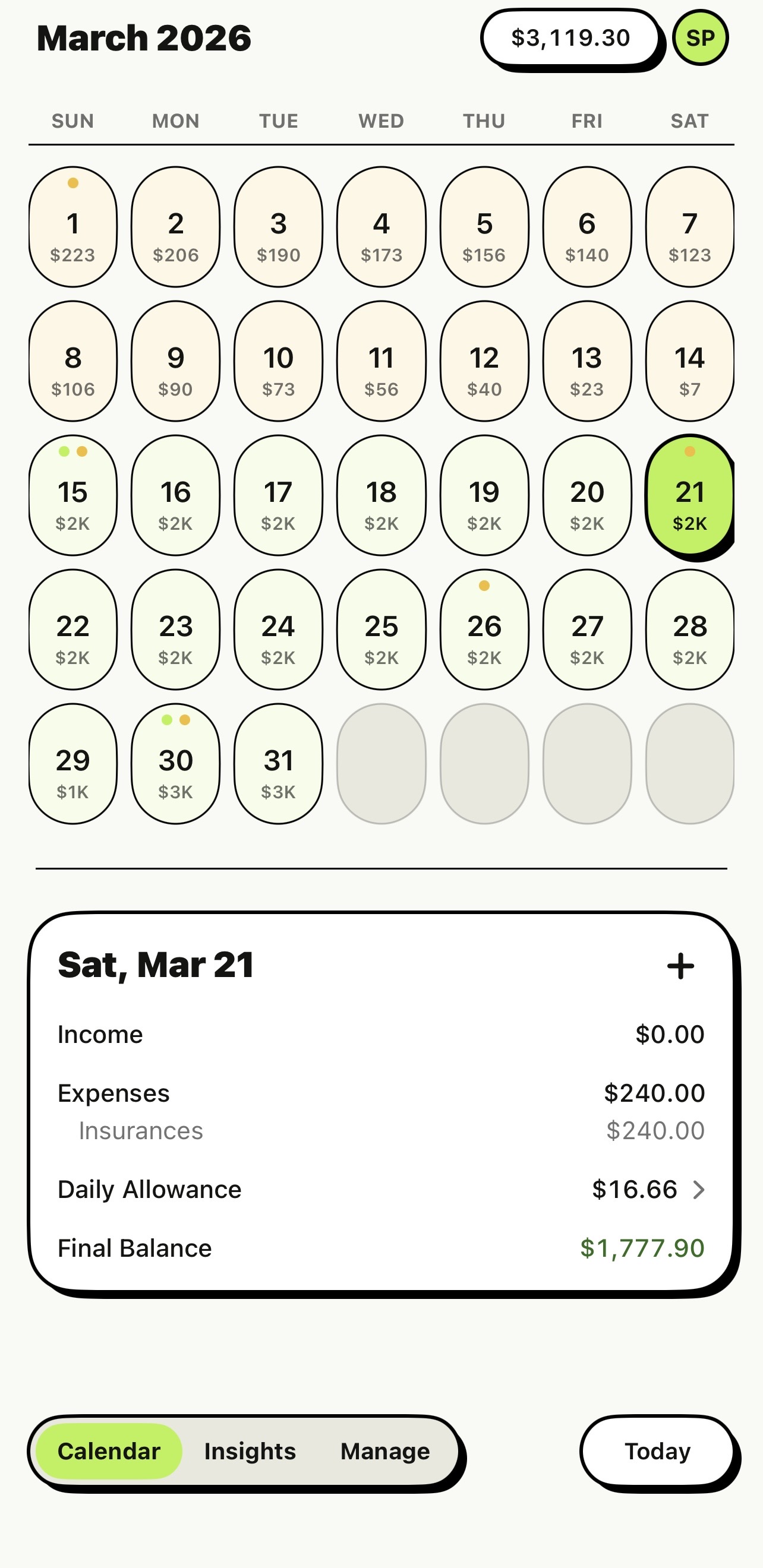
- Calendar view with running balance per day, color coded tinting (green, yellow, red), and month summary.
- One active ledger at a time with an account switcher for multi account support.
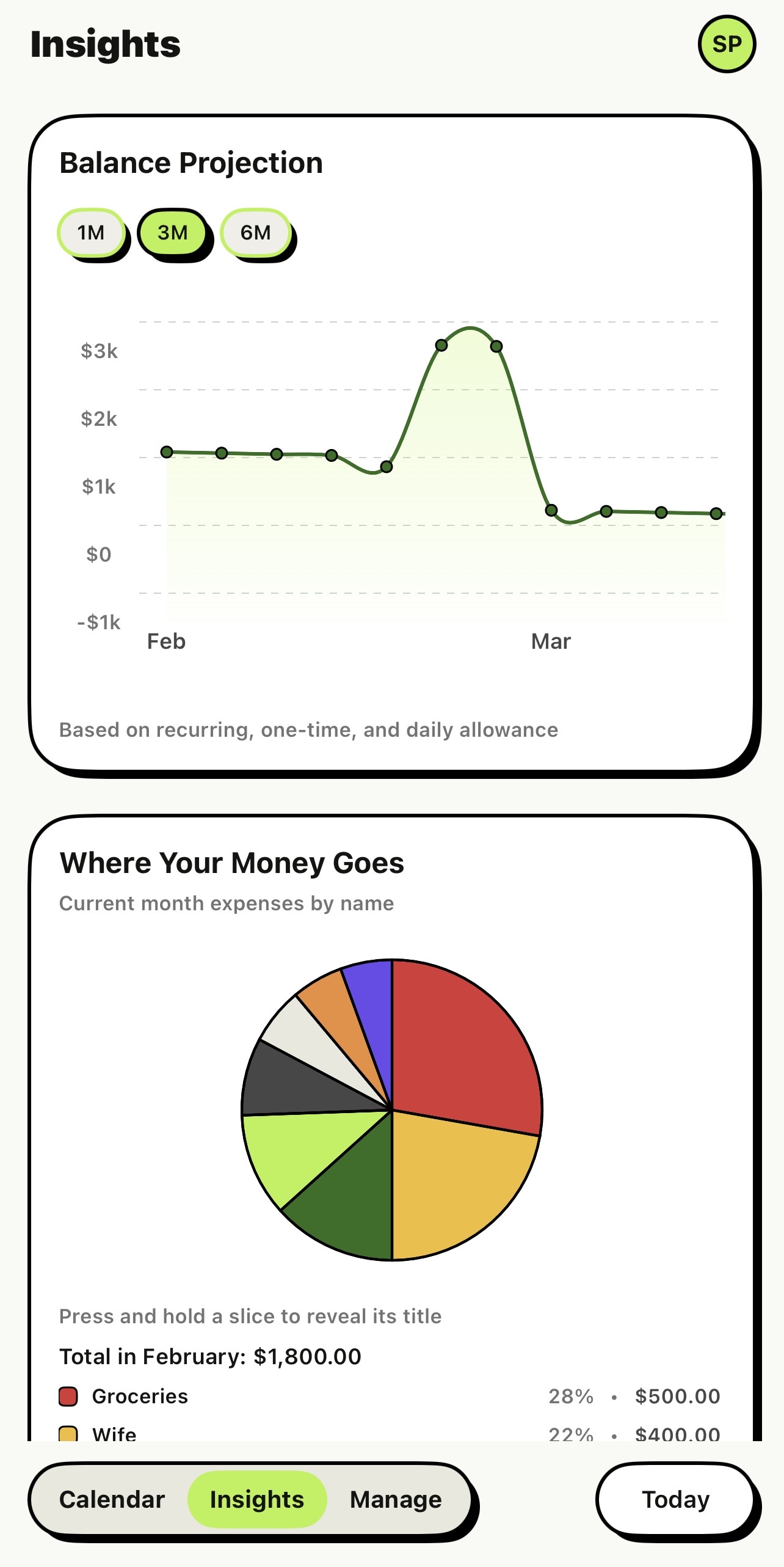
- Insights tab (Pro): balance projection chart, expense pie chart, cash flow waterfall, recurring vs one time area chart.
- Multi step onboarding wizard to guide first time setup.
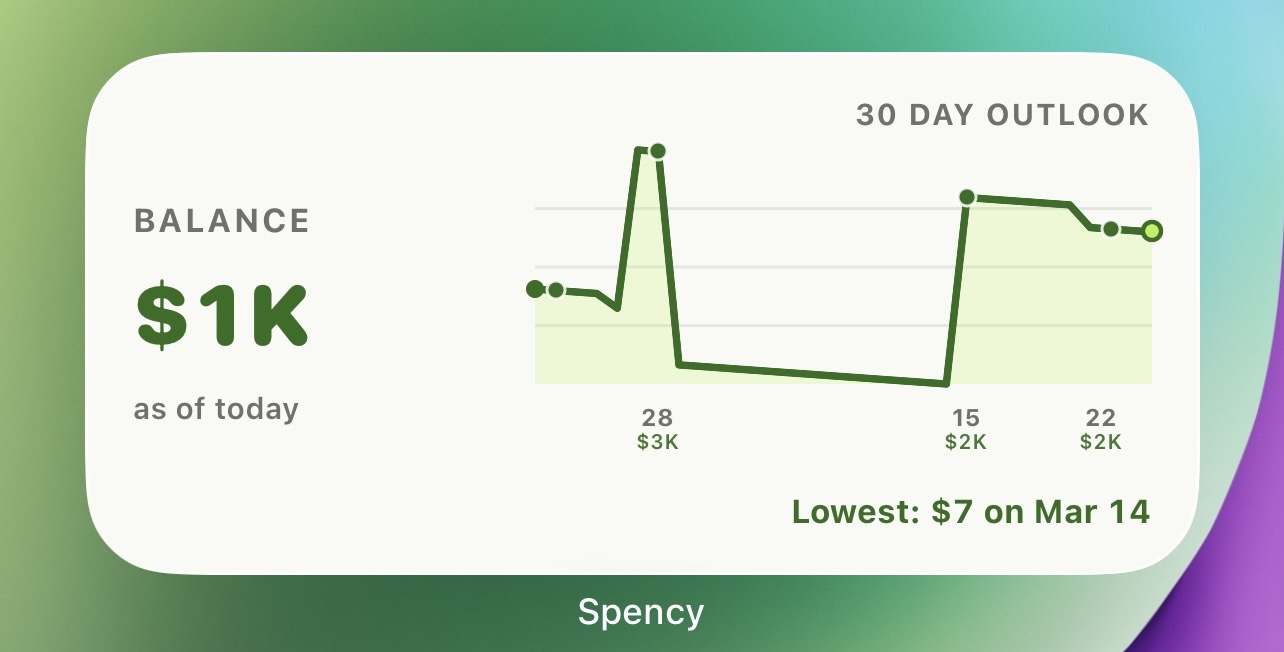
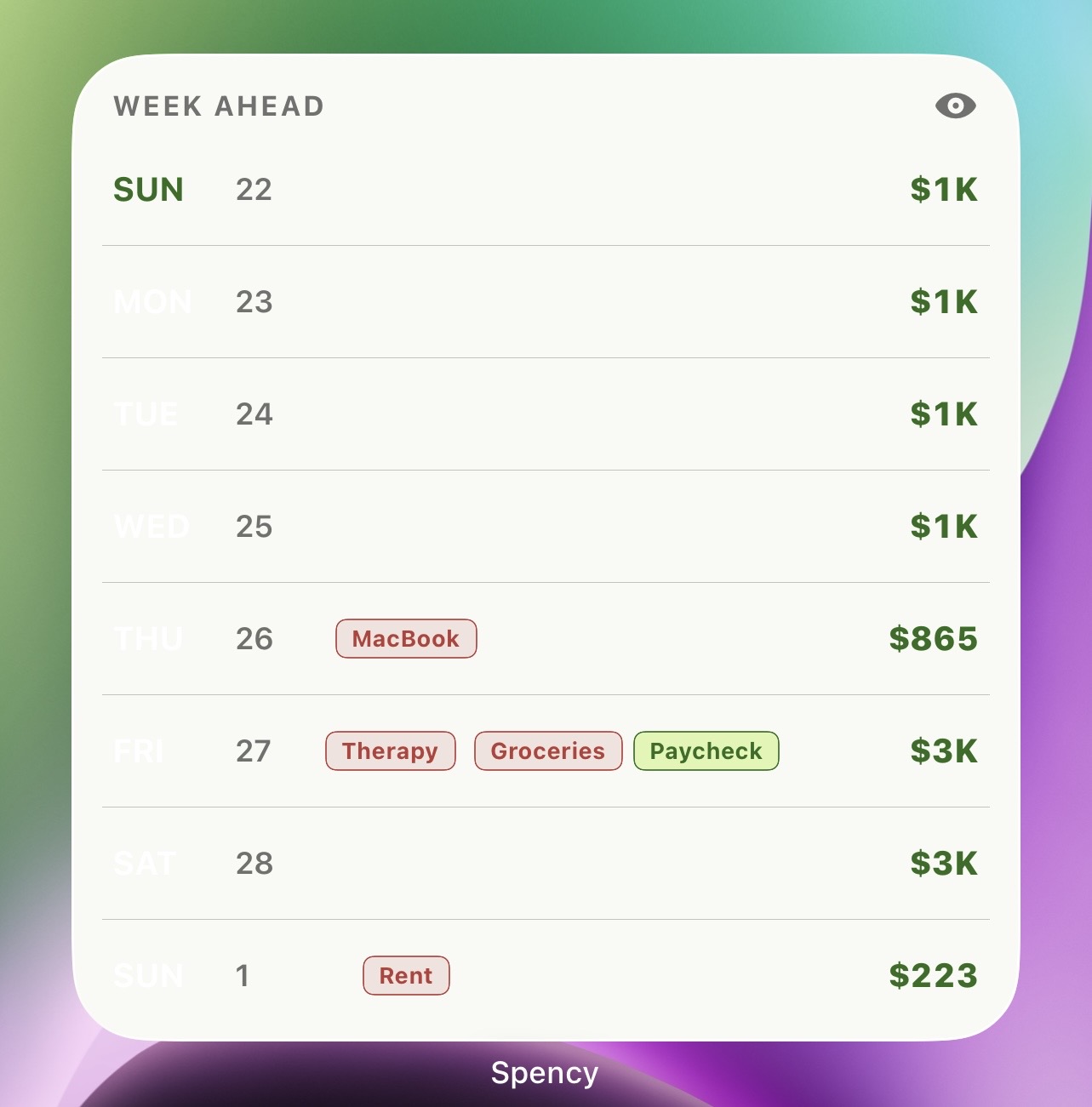
- Home screen widgets for balance forecast and week ahead.
- Pro plans: 12 month future view, unlimited history, full Insights dashboard, unlimited items.
Design and build process
I iterated directly in the product using AI assisted development, collapsing the feedback loop from days to minutes.
Key product decisions
- Moved the floating + into a contextual action inside the day detail card, keeping the calendar surface clean.
- Replaced custom bottom panels with a multi step onboarding wizard that guides first time users through setup.
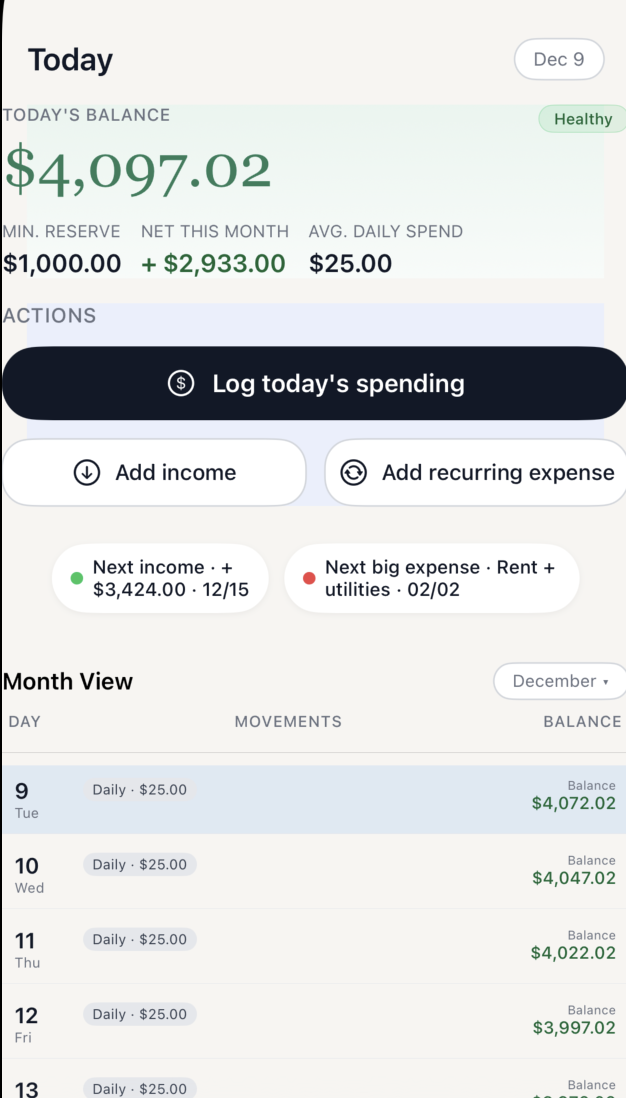
- Introduced the Brutal design system: 2px borders, hard shadows, beige and lime green palette, replacing the custom number pad with the system keyboard.
- Swapped gradients for warm beige surfaces and dark modal sheets to create clear visual hierarchy.
- Designed a 3 day free trial with locked Insights and tier differentiation for Pro gating.
- Simplified multi account to one active ledger at a time with an account switcher, removing the All Accounts aggregate view.
Design philosophy
- Subtractive design (remove anything that adds friction).
- Systems thinking (patterns applied across all screens).
- Feel over specs (if it felt weird, I fixed it).
- Small loop iteration (change, test, refine).
The bet
Forecasting over transaction tracking
Forecasting eliminates the anxiety of not knowing the future and helps you plan today. If I am tight next month, I should stop going to that cafe every morning. If I am OK, I can go tomorrow. The insight is that people need to see tight days ahead so they can adjust early.
No bank connection (for now)
I chose privacy and simplicity over automation. Manual entry keeps users intentional about their finances. CloudKit sync ensures data stays available across a user's own devices without exposing it to third parties. Bank connection may come later if users ask for it, but the core value works without it.
Daily allowance as the core abstraction
The daily allowance lets users skip tracking every transaction. It acts as a fixed expense for daily stuff like groceries or snacks. Users can set it to zero or adjust it globally from the Manage tab. Research on mental accounting shows that partitioning money into buckets improves follow through. A daily allowance is a practical bucket that makes spending constraints easier to respect.
Result
- Live on the App Store.
- Full forecasting engine with calendar projection, color coded balance tinting, and a rich Insights dashboard.
- A distinctive Brutal design system with 2px borders, hard shadows, and a warm beige plus lime green palette.
- Home screen widgets for at a glance balance and week ahead forecasts.
- CloudKit sync across all user devices with zero third party data exposure.
- Multi step onboarding wizard and a 3 day free trial for Pro features.
Answering Am I OK from the home screen
The forecast extends beyond the app itself. Home screen widgets surface the 30 day balance outlook and the week ahead at a glance, so users get calm clarity every time they pick up their phone.
Metrics to track
I did not have hard metrics at launch, so I focused on outcome and usability proxies.
Design and usability
- Time to first forecast (goal: under 2 minutes).
- Onboarding completion rate.
- Error rate for money inputs and recurring dates.
Product metrics
- Activation rate (first forecast generated).
- 7 day retention (returning to check forecast).
- Insights dashboard engagement.
- Trial to paid Pro conversion.
- Widget adoption rate.
Business signals
- User reviews highlighting clarity or reduced anxiety.
- Conversion from free to Pro around payday or bill week.
Why this project matters
Spency is a product built for calm. It replaces guilt based budgeting with color coded balance tinting and structural clarity, and the entire UI reflects that philosophy: minimal steps, clear states, and a visual system that avoids noise.