Case study · HumanFirst · 2024
Data workflow enhancements
Simplifying enterprise data workflows by keeping similarity search actions in one place.

Overview
The workspace was split into threads, stash, and data. Research showed that a separate stash confused users and interrupted similarity workflows across large datasets. The redesign brought the stash into the data table so teams could stay focused and resolve conflicts faster.
Objective
Integrate the stash directly into the data table view to remove context switching and speed up similarity searches without disrupting existing workflows.
The challenge
Users had to leave the data table to access Find Similar Data. That context switch slowed decisions and made the workflow feel fragmented, especially on large datasets.
- About fifteen teams were affected by the fragmented workflow.
- The CS leader repeatedly flagged this as difficult to explain and demo, with users returning with questions after onboarding.
- Switching between sections forced users to rely on memory, losing context in a data intensive environment where visual shortcuts risked adding clutter.
Signals
- Recurring support tickets about the stash workflow (detailed logs unavailable).
- Direct feedback from the CS lead on onboarding friction and repeated questions from users.
- Observation that context switching in data heavy interfaces created memory burden.
The solution
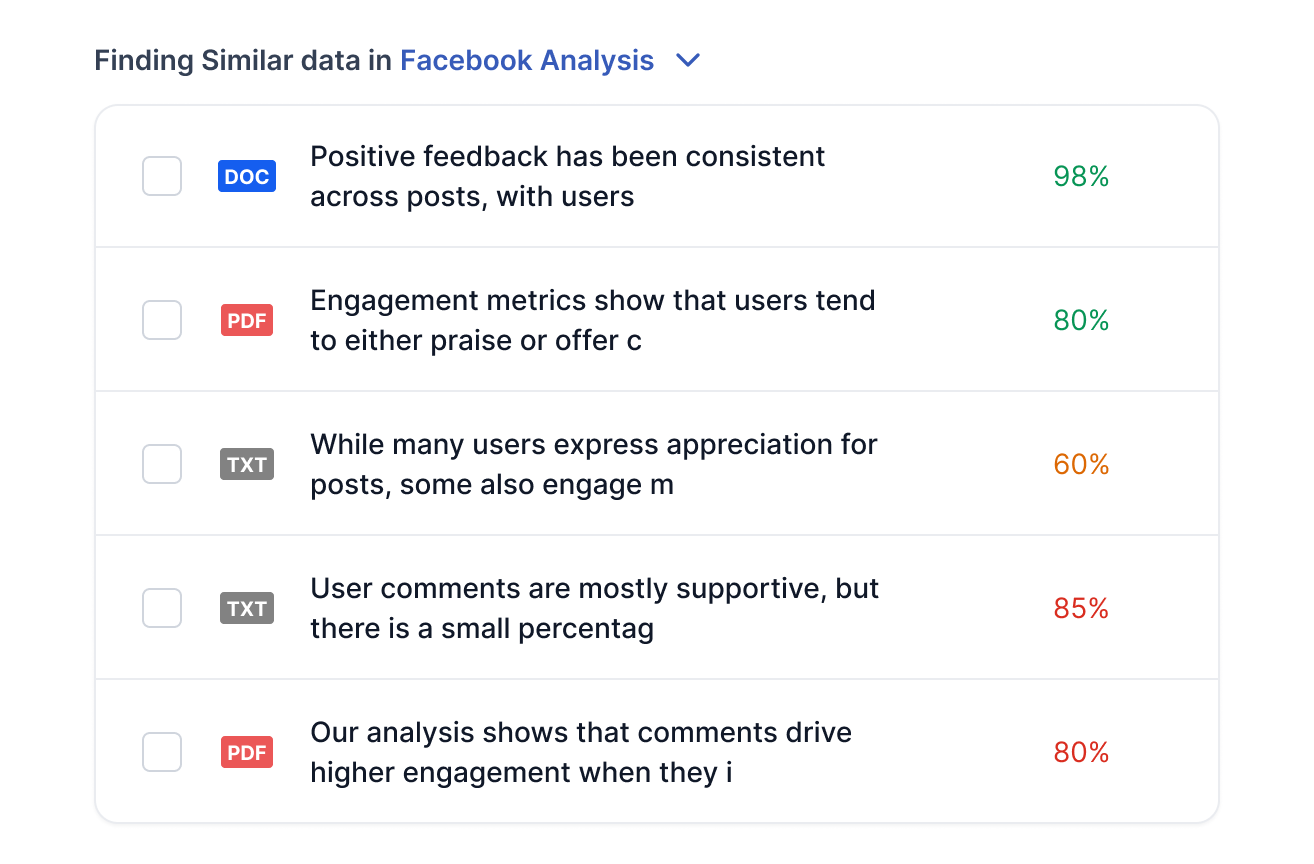
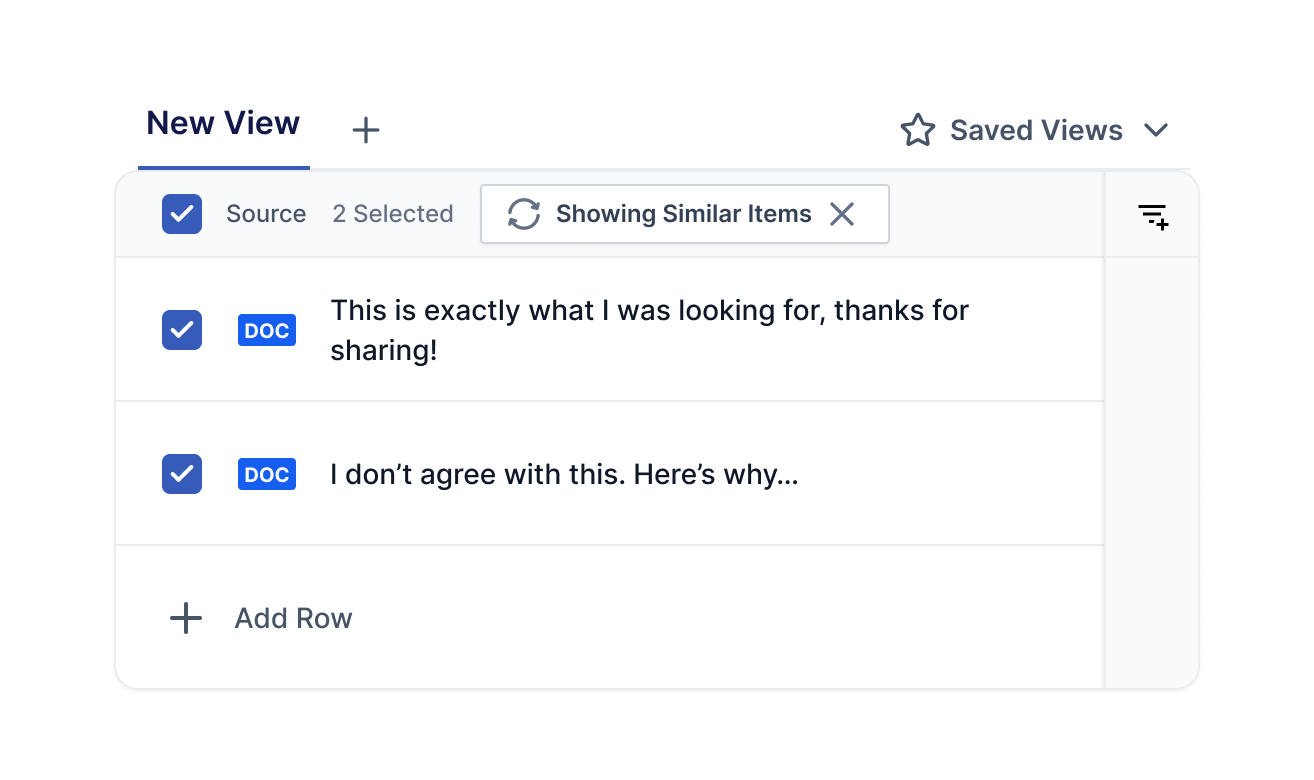
Stash and similarity actions now live directly in the data table. Users stay in one place while searching, comparing, and resolving duplicates.
The bet
Make stash actions selection based
The Show Similar and Find Similar actions were previously always visible. Moving them to appear only after item selection made clicks intentional and reduced interface noise.
Keep users in place with a mode experience
Instead of navigating to a separate page, finding similar items now refreshes items within the same view. This preserves context and follows the UX principle of keeping users where they are unless they explicitly request navigation.
Alternative considered
Showing item previews on hover. This was rejected because it added visual complexity to an already data dense interface.
Impact
- Reduced cognitive load by removing context switches and keeping teams focused in the data table.
- Shipped with zero workflow disruption, preserving enterprise client patterns.
- Improved visual feedback during similarity searches, making system state clear at every step.
- Eliminated unexpected navigation, following the principle of keeping users in their current context.
- Cleaner information architecture by surfacing actions only when relevant after selection.
Reflection
This project reinforced a fundamental UX principle: do not take users to a different section unless they explicitly request it. In data intensive applications, preserving context is more valuable than exposing every feature at once. The mode approach let users stay oriented while exploring similarity results, which turned out to be more intuitive than any shortcut or preview solution.
You do not need more features. You need fewer frustrations.The lesson